AI is quickly becoming a day-to-day coworker for drafting, summarizing, organizing, and decision support. The biggest gains don’t come from using it everywhere—they come from using it with clear boundaries, repeatable workflows, and solid judgment. The goal is simple: reduce busywork, improve communication quality, and build modern workplace skills that stay relevant even as tools change.
Used well, AI doesn’t replace ownership—it removes friction. A realistic, high-value week with AI tends to look like this:
| Task | AI can help with | Human adds value | Best practice |
|---|---|---|---|
| Email & messaging | Drafting replies, adjusting tone, shortening long threads | Judgment, relationship context, final approval | Specify audience + goal + constraints (length, tone, next steps) |
| Meetings | Agenda creation, note cleanup, action-item extraction | Decision-making, prioritization, accountability | Confirm owners/dates; send a one-screen recap within 1 hour |
| Research | Summaries, comparison lists, questions to ask, first-pass synthesis | Source validation, domain expertise, trade-offs | Require citations/links; cross-check critical claims |
| Project planning | Work breakdown, risk lists, stakeholder updates | Feasibility checks, sequencing, leadership alignment | Turn outputs into a living plan with owners and milestones |
| Data & analysis | Explaining formulas, drafting queries, interpreting patterns | Data governance, context, final conclusions | Use anonymized/sample data; document assumptions |
A simple workflow keeps AI helpful instead of “one more thing” to manage.
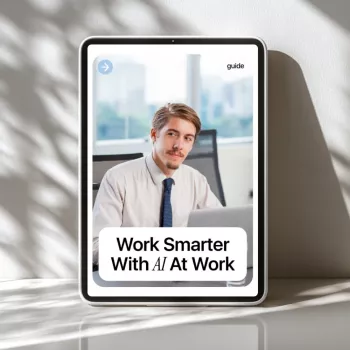
For teams that want a structured way to standardize this habit, a dedicated reference can help. Work Smarter With AI at Work | Productivity Guide (Digital Download) is designed to support quick, repeatable execution—especially for meeting recaps, status updates, briefs, and everyday communication.
The fastest time savings usually show up in work that’s frequent, text-heavy, and “important but not complicated.” That includes:
One practical tip: treat clarity as a deliverable. If the output doesn’t include a decision, an owner, or a next step, it’s usually not finished—no matter how polished it sounds.
The people who benefit most from AI tend to use it as a thinking partner, not a copy machine. The skill upgrades that matter most:
For perspective on safe and responsible use, align habits with established guidance like the NIST AI Risk Management Framework and the OECD AI Principles.
For a pulse on how work is changing at scale, the Microsoft Work Trend Index is a useful reference point for emerging patterns in knowledge work.
If you want a ready-made system for recurring work, Work Smarter With AI at Work | Productivity Guide (Digital Download) is built to standardize meeting recaps, status reports, client updates, research summaries, and project plans.
To protect your productivity in the physical sense—especially during heavy computer days—pair smart workflows with comfort habits. Hands at Ease: Stop Mouse Pain Fast focuses on ergonomic setup and strain reduction, while Clear & Cozy: Smart Ideas for Tackling Living Room Clutter supports a calmer home environment that makes it easier to reset between work sessions.
Start with low-risk, high-frequency tasks like summarizing notes, drafting emails, outlining documents, and converting long updates into short status formats. Review every output for accuracy and fit before sending or publishing.
Follow company policy first, avoid pasting confidential data, and anonymize examples whenever possible. Use approved tools, keep human approval for final outputs, and document what was shared and why for accountability.
No—AI increases the value of skills like critical thinking, clear communication, domain knowledge, and decision-making. The differentiator is evaluating outputs responsibly and applying them correctly in real situations.





Leave a comment