Pinterest behaves less like a social feed and more like a planning platform—people arrive looking for ideas they can save, revisit, and act on. That “future-focused” mindset makes it a strong match for digital products like templates, courses, printables, guides, and toolkits, where the buyer is often trying to solve a specific problem or reach a clear outcome.
Another advantage: a pin can keep sending traffic for months when it targets an evergreen topic and leads to a focused page that delivers on the promise. Instead of relying on constant posting to stay visible, Pinterest rewards relevance, clarity, and consistency over time.
You can also create many angles from one product URL—use cases, results, before/after, excerpts, testimonials, comparisons, and quick tips—without changing the offer. The best results happen when three pieces align: keyworded boards that match what people are browsing, pin creative that makes the benefit obvious on mobile, and landing pages that load fast and remove confusion.
Start with setup that you won’t have to redo. Switch to a business account, confirm website ownership, and complete your profile so Pinterest understands what you offer and visitors understand why they should care.
Your profile should be simple and specific: a niche statement, a benefit-driven bio, and a consistent visual style that carries across pins. Next, create boards based on your product categories and the problems your customers are actively trying to solve (avoid vague board names that could mean anything). Add natural-sounding board descriptions that reflect real queries, plus a few closely related phrases so the board has a clear theme.
If you plan to run ads—or simply want cleaner measurement—install the Pinterest Tag and confirm key events (view content, add to cart, checkout/thank-you). Pinterest’s own documentation helps with setup details: Pinterest Business Help Center and the Pinterest Tag overview.
| Area | What “good” looks like | Priority |
|---|---|---|
| Profile | Clear niche + benefits, recognizable branding, link to shop | High |
| Boards | 8–15 focused boards aligned to offers and problems | High |
| Descriptions | Natural language descriptions for boards and pins | High |
| Landing pages | Fast load, clear CTA, strong above-the-fold value | High |
| Tracking | Pinterest Tag + key events (view, add-to-cart, checkout) | Medium |
Topic selection gets easier when you start with the outcome. Ask: what changes after someone uses this digital product? Maybe they save time, learn a skill, get organized, reduce stress, or increase revenue.
Turn those outcomes into topic clusters that match how people browse. For example, instead of naming a board “Templates,” you could build clusters like “weekly planning template,” “content calendar system,” or “client onboarding checklist.” Then map a simple funnel for each product: discovery topic → solution education → product proof → purchase.
Build your baseline with evergreen topics first. Seasonal topics can be powerful, but they’re easier to manage once you already have steady publishing and a library of pins. Finally, list 10–20 pin angles per product—how-to, mistakes to avoid, mini tutorial, snippet/preview, FAQs, comparisons, and results.
If you want a step-by-step playbook that organizes this into a repeatable system, the Mastering Pinterest for Digital Products eBook is designed around building momentum without guessing what to post next.
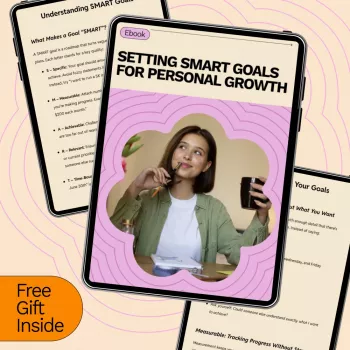
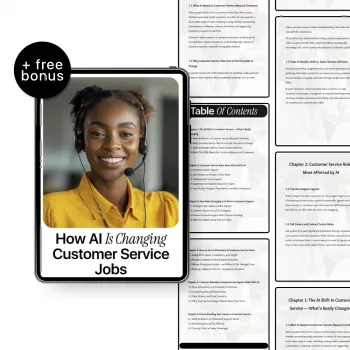
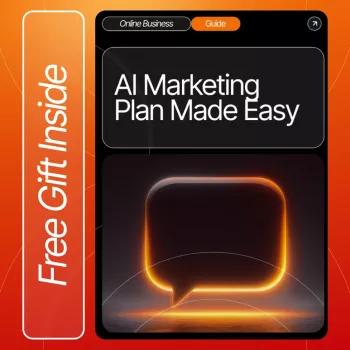
Pin design is about fast clarity on a small screen. Use a clear hierarchy: a big headline, a supporting line, and a strong visual with high contrast. Make the benefit specific enough that someone can decide in a second whether it’s worth saving.
| Variation type | Hook example | Best for |
|---|---|---|
| Outcome-driven | “Finish your weekly plan in 10 minutes” | Cold audiences |
| Problem/solution | “Stop staring at a blank page—use this framework” | Pain-aware audiences |
| Proof-driven | “What’s inside + sample pages” | Warm audiences close to buying |
| Tutorial snippet | “3 steps from the guide” | Saves and longer-term reach |
Digital products beyond “business” can also perform well when the pin and page focus on a concrete problem. For instance, Hands at Ease: Stop Mouse Pain Fast can be positioned with pins around ergonomic setup checklists, quick desk fixes, or “symptoms you shouldn’t ignore” educational angles—each leading to a page that immediately confirms the solution and what’s included. Organization-focused products can do the same with clear before/after outcomes, like Clear & Cozy: Smart Ideas for Tackling Living Room Clutter.
Expect a ramp-up period of several weeks to a few months as your pins get saved, re-surfaced, and matched to the right topics. Timelines depend on consistency, how evergreen your topics are, and whether your landing pages convert once clicks arrive. Review performance weekly for early signals, then do a deeper monthly audit to guide what you publish next.
Start with 3–10 pins per product URL using different hooks, visuals, and formats so you can learn what resonates. Once you see which angles earn saves and clicks, scale by creating additional variations of the winners and expanding into nearby topic clusters.
Pins can link directly to a product page as long as the pin’s promise matches what visitors see immediately and the page is clear, fast, and proof-rich. If your product requires more education, linking to a helpful guide can warm people up before presenting the offer.




Leave a comment