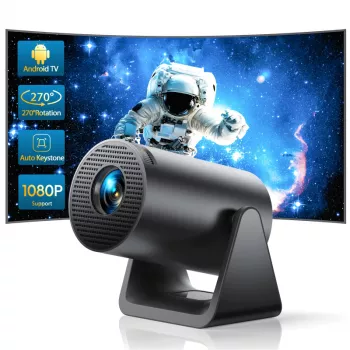
A compact projector can turn a blank wall into a movie night, a gaming screen, or a quick presentation setup. This guide covers what to expect from a mini projector with 1080P support, wireless connectivity, and auto keystone, plus practical setup tips for sharper, more reliable viewing at home or on the go.
A mini projector like this is designed for flexibility first: it’s easy to move, quick to power up, and adaptable to different rooms. Instead of building a permanent home theater, it’s meant to give you a big-screen feel when you want it—then tuck away when you’re done.
Specs are helpful, but the real value shows up in daily use: how quickly you can get a clean picture, how easy it is to connect your devices, and whether audio is enjoyable in a group setting.
For wired connections and device compatibility, the broader HDMI ecosystem is maintained by the HDMI Licensing Administrator (hdmi.org). For wireless basics and capabilities, the standards bodies are useful references: Wi‑Fi Alliance and Bluetooth SIG.
If you want a space-saving projector that can handle a variety of casual viewing needs, this model is positioned as a simple, portable option with both wireless convenience and practical image correction.
| Item | Details |
|---|---|
| Product | Mini Portable Projector with 1080P Support, WiFi, Bluetooth, and Auto Keystone |
| Price | 226.80 USD |
| Availability | In stock |
| Product page | View details |
Mini projectors reward small adjustments. A few minutes of placement and focus work can make a noticeable difference, especially for subtitles, menus, and presentation slides.
A practical routine: place the projector, let it run for a few minutes, re-check focus, then do keystone adjustments last. If the edges never look quite right, reduce the projection size slightly and re-center the unit to minimize correction.
Wireless features are ideal for casual nights when convenience matters more than absolute stability. For anything time-sensitive, a cable still tends to be the most predictable option.
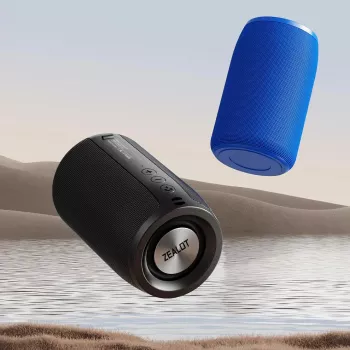
If you’re hosting a group, consider Bluetooth as your default audio plan. Even a compact speaker can sound fuller than a built-in projector speaker, especially outdoors where sound disperses quickly.
Auto keystone is a helpful “save” when your room layout forces imperfect placement—like projecting from a side table or a low shelf. It straightens the geometry, but it’s not the same as perfect alignment.
Not necessarily. “1080P support” typically means it can accept a 1080P signal, but the projector’s native display resolution may be different; perceived detail also depends on focus, projection size, and the quality of the source.
In most cases, yes—Bluetooth is commonly used to pair with wireless speakers or headphones. Keep in mind that range and interference can affect stability, and some Bluetooth devices can introduce slight audio delay compared with a wired connection.
Keystone correction is a digital adjustment that can slightly reduce effective sharpness, especially at the edges. For a cleaner image, reduce the projection angle by re-centering the projector and minimizing how much correction is applied.



Leave a comment