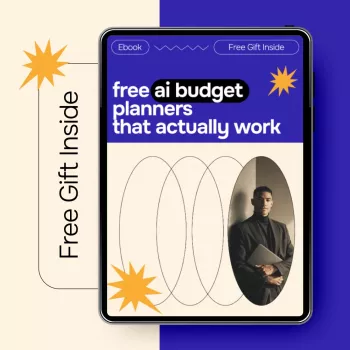
A budget only helps when it’s easy to keep up with and accurate enough to guide everyday decisions. AI-assisted budgeting can reduce manual cleanup, keep categories consistent, and turn messy spending data into clear next steps. Pairing a free AI budget planner with a simple routine is where the real results come from—and the Free AI Budget Planners That Actually Work | Smart Money Guide | Digital eBook Download is built to act as the “system layer” that keeps everything organized even when life gets busy.
A tool “works” when it holds up in real life—unexpected expenses, irregular pay, and the occasional overspend included. Look for a setup that’s fast, stable, and specific enough to guide daily decisions.
For general budgeting fundamentals (including how to structure categories), the Consumer Financial Protection Bureau (CFPB) budgeting resources are a solid reference point.
AI can speed things up, but only if the underlying math and timing are right. Before relying on forecasts or “safe to spend” numbers, confirm the tool handles the basics cleanly.
| Feature | Why it matters | What to verify |
|---|---|---|
| Auto-categorization | Saves time and reduces mistakes | Can correct categories and “learn” preferences |
| Cash-flow forecast | Prevents overdrafts and missed bills | Shows upcoming balance after scheduled expenses |
| Rollover categories | Makes variable spending realistic | Unused funds carry forward without manual edits |
| Goal tracking | Turns budgeting into progress | Targets, timelines, and clear next payment amount |
| Alerts & limits | Stops overspending early | Real-time or weekly notifications that are customizable |
| Data export | Protects portability and audits | Downloadable reports and transaction history |
The most useful AI budget planners feel like a co-pilot: they surface patterns, flag problems early, and keep the plan consistent—without requiring nightly spreadsheet sessions.
If taxes and withholding swings are part of the stress—especially with side income—use the IRS withholding estimator to reduce surprise shortfalls that can distort any budget.
When connecting accounts or sharing personal data, basic safety habits matter. The FTC guidance on recognizing and avoiding phishing scams is a helpful reminder of what to watch for before entering credentials anywhere.
A budget planner can track spending, but it won’t automatically tell you which rule to set, which category to simplify, or how to pace goals when the month gets weird. The Smart Money Guide eBook (digital download) is designed to provide that missing structure.
If time management is the hidden reason budgets fall apart (extra tasks, extra commitments, extra spending), pair it with Not Right Now Doesn’t Mean Never: AI-Powered Checklist for How to Use AI to Say No to Extra Work, Protect Your Time, and Set Boundaries to reduce “schedule drift” that often becomes “budget drift.”
AI budgeting also pairs well with “maintenance-style” goals—like planning a predictable monthly amount into car upkeep or home care. For example, setting aside a small sinking fund for vehicle appearance and maintenance can keep surprise purchases from wrecking a month; if that’s relevant, consider Car Plastic & Leather Restorer – Back to Black Gloss Coating & Polish as a practical, planned expense instead of an impulse buy.
They can be, but safety depends on the provider and your settings. Read the privacy policy, use read-only connections when possible, enable multi-factor authentication, never share bank passwords directly, and export your data regularly for your own records.
Start with fixed bills, then choose 3–5 flexible categories and give them weekly limits, then add one savings or debt goal. Do a 10-minute weekly review and change only one rule at a time so the system stays easy to follow.
Strong tools use a baseline income estimate, allocate money by priority, and rely on cash-flow forecasts tied to paydays and bill due dates. Sinking funds and a small buffer (even a partial “extra month” of expenses) help smooth the ups and downs.






Leave a comment