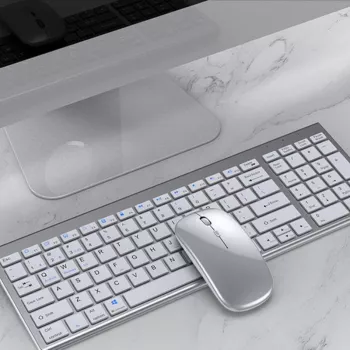
A slim, rechargeable Bluetooth keyboard and mouse set can simplify daily work by reducing desk clutter, cutting disposable-battery waste, and letting one combo follow across a laptop, tablet, and phone. The most useful models combine compact design with reliable Bluetooth pairing, quick device switching, and straightforward charging so the setup feels “always ready” whether it’s on a desk, in a backpack, or moved between rooms.
Most multi-device Bluetooth combos store pairings on separate channels (often labeled Device 1/2/3). Each device is paired once, then switching becomes a quick channel change rather than a full reconnection process. Some sets use dedicated keys on the keyboard plus a button on the mouse, while others share one switching approach across both.
Rechargeable sets are built for quick top-ups rather than periodic battery swaps. In practical use, the simplest routine is keeping a charging cable at the desk (or in the same pouch as the combo) so a low-battery warning never becomes a work interruption.
Most modern systems support Bluetooth keyboards and mice without extra drivers. The bigger differences tend to be in shortcut behavior, function keys, and how each OS handles things like language switching or the on-screen keyboard.
For official setup guidance, see the Bluetooth standard reference from Bluetooth SIG, pairing steps in Microsoft Support, and iPad keyboard tips from Apple Support.
| Feature | What it means in practice | Why it matters |
|---|---|---|
| Slim profile | Lower height and compact footprint | Saves desk space and packs easily in a bag |
| Rechargeable battery | Charge via USB instead of replacing cells | Less downtime and fewer disposable batteries |
| Bluetooth connectivity | Pairs directly to devices without a USB receiver | Works well with tablets/phones and modern laptops |
| Multi-device channels | Stores pairings for more than one device | Switch between work/personal devices without re-pairing |
| Simple switching controls | Dedicated keys/buttons for device selection | Faster transitions during meetings and multitasking |
| Broad OS support | Works across common operating systems | Helps keep one consistent setup across devices |
Yes. Multi-device Bluetooth combos pair each device to a separate channel (such as Device 1/2/3), and switching is typically done with dedicated keys or buttons after the initial one-time pairing.
Most modern iPads and Android tablets support Bluetooth keyboards and mice. Shortcut keys and function-row behavior can vary by OS and app, so minor settings tweaks may be needed for the best experience.
Start by charging, then toggle Bluetooth off and back on. If it still won’t connect, select it from the Bluetooth device list or forget the pairing and re-pair, and move closer to reduce interference.






Leave a comment