Yes. Many Bluetooth mice are designed to pair with two or three devices at once and let you switch between them using a button on the mouse. This is handy if you move between a laptop, desktop, and tablet during the day and want one mouse to handle everything without re-pairing each time.
A multi-device Bluetooth mouse stores separate pairing profiles (for example, “Device 1,” “Device 2,” and “Device 3”). After you pair each device the first time, you can jump between them with a quick tap or toggle. Most models use an indicator light to show which device slot is active, so you can confirm you’re controlling the right screen.
Start by checking the number of supported devices (2 or 3 is common) and the switching method (top button vs. bottom switch). Also confirm compatibility with your operating systems—Windows, macOS, iPadOS, ChromeOS, and some Android tablets can all work well, but features like side buttons or scrolling behavior can vary by platform.
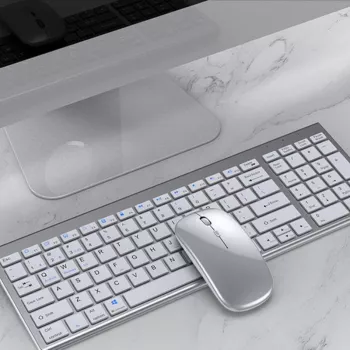
If you want a tidy travel setup, consider a slim rechargeable mouse with a matching keyboard that supports the same multi-device switching concept. For a deeper rundown of how device switching works in a compact setup, see the guide here: https://estallos.com/guide-slim-rechargeable-bluetooth-keyboard-mouse-combo-multi-device-switching/.
Multi-device Bluetooth mice are great for switching, but they don’t control two devices simultaneously. Some also have a short reconnect delay when swapping devices, and Bluetooth performance can be affected by low battery or heavy wireless interference. If you need instant switching, look for models known for fast reconnection and stable Bluetooth.
For Best Multi-Device Bluetooth Mice: Pair & Switch Fast, the best answer depends on fit, material, care instructions, and how the product will be used day to day.
Most do. iPads running iPadOS support Bluetooth mice, though pointer behavior and some extra buttons may work differently depending on the app.




Leave a comment