A strong tool stack reduces admin time, improves delivery quality, and keeps client work organized. A checklist-style system helps map the right AI and non-AI tools to each stage of freelancing—so projects move from lead to invoice with fewer gaps, fewer tabs, and clearer decisions.
A freelancer’s stack isn’t “more apps.” It’s a small set of tools that behave like a digital operating system for client work.
If a tool doesn’t reduce friction or reduce risk, it’s not part of the stack—it’s a distraction.
Instead of choosing tools first, start with the path a project actually follows. Then attach tools to each stage like “connectors,” not like extra destinations.
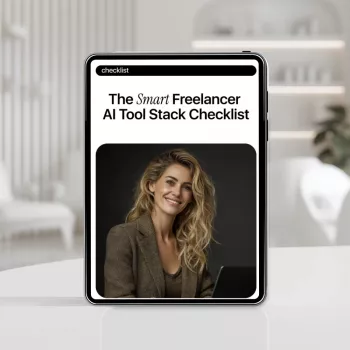
For a ready-made structure you can duplicate per client, use The Smart Freelancer AI Tool Stack Checklist as the repeatable backbone, then swap in the tools you already pay for.
A resilient stack covers the full lifecycle—especially the “small” steps that cause missed deadlines: approvals, versions, handoffs, and payment follow-ups.
Use this map as a starting point, then swap in tools already paid for. Keep one “system of record” per type: one calendar, one task manager, one file home, one invoicing hub. Add AI where it removes drudge work (summaries, first drafts, categorization), not where it increases review risk.
| Workflow stage | Primary tool type | AI assist ideas | Checklist checkpoints |
|---|---|---|---|
| Lead → call booked | CRM / pipeline + scheduler | Draft outreach variations; summarize prospect research | Clear offer; qualification questions; next-step date set |
| Discovery | Form + notes + doc | Meeting summary; action items; scope risks list | Constraints captured; success metrics; decision maker confirmed |
| Proposal | Doc template + e-sign | Rewrite for clarity; produce options; create FAQ section | Scope boundaries; revision policy; timeline; payment terms |
| Production | Editor / design tool / dev environment | First drafts; refactors; alt versions; asset generation | Brand rules applied; sources checked; accessibility basics |
| Review | Proof/QA checklist + comments | Find inconsistencies; summarize changes; generate test cases | Numbers verified; links tested; file naming correct |
| Delivery | Client portal / shared folder | Generate handoff notes; create quick user guide | Final exports; version labeled; permissions set |
| Invoice + follow-up | Invoicing + bookkeeping | Auto-categorize expenses; draft follow-up email | Invoice sent; payment link works; receipt stored |
The fastest way to “lose” time with AI is to generate work you can’t trust, can’t track, or can’t safely store. The goal is dependable outputs inside a predictable review loop.
If scope creep is a recurring issue, pair your workflow checklist with Not Right Now Doesn’t Mean Never: AI-Powered Checklist for setting boundaries so “yes” decisions are intentional and documented.
No—tools support a defined workflow. The checklist is the process, while AI helps with drafting, summarizing, organizing, and QA; human review and judgment still own final decisions and client-facing deliverables.
Start lean: calendar + email, one task manager, one file storage system, one doc editor, one invoicing tool, and one AI assistant for drafting/summarization. Add new tools only when a specific bottleneck keeps repeating.
Avoid putting sensitive client data into unapproved tools, use access controls and 2FA, keep client assets in a secure system of record, and follow any confidentiality requirements in the contract. When in doubt, anonymize inputs and keep private details out of AI workflows.






Leave a comment